🎞️Embed Video for Anki
AnkiWeb Page | Code : 1614658689

This add-on automatically embeds existing videos into Anki cards. This allows you to display a small video within the card without popping up the video player. (Video size: 240p, 426px wide).
This embedded video is for display purposes only and the add-on does not directly change the card content or templates, so if you disable the add-on the video display will revert to its original state.
How to use
Once installed the add-on will run automatically so you don’t need to configure it unless needed.
When you launch Anki, this add-on searches your media folder for .mp4 video files and automatically generates small embedded videos. The generated videos are saved locally in the add-on folder, and these videos will not put a strain on your AnkiWeb server (deck sync).
[sound:Example.mp4] -> Example.webm (display only)
If video conversion is too slow or fails, please install ffmpeg on your PC. If ffmpeg is already installed and available on your PC the add-on will auto use ffmpeg to convert the video as quickly as possible.
If you don’t know how to install FFmpeg please use this my add-on.
If there are multiple videos or audio tracks, the embedded video will not autoplay because the audio tracks would overlap.
The embedded video will not be displayed while the video is still being generated, instead the MPV video player will pop up as usual. In this case please check the progress using the “Convert Video” option.
The video quality has been intentionally set to low for faster conversion. You can select high quality using the options, but in that case conversion may take 10 minutes or more. (depending on the video’s length.)
Options
Menu Actions
- Convert Videos
- Opens a window that displays the video conversion status. You can check conversions running in the background or start a conversion manually.
- Options
- Opens the Options window.
- Enable add-on
- Quickly enable or disable the add-on’s features. Turning it OFF returns you to the mode where the standard MPV player pops up.
Option tab
- Auto Convert
- The add-on automatically converts videos in the background.
- Video Position
- You can choose to place the embedded video at the top or bottom of the card.
- Video Size
- Change the size of the video displayed on Anki cards.
Video Convert tab (Advanced)
You can configure advanced settings for video conversion. If not necessary, you do not need to adjust these settings.
- Convert mode
- Select the tool for converting videos.
- auto: Selects automatically.
- mpv: Converts videos using the mpv player used by Anki. This method is slightly slower.
- ffmpeg: Uses ffmpeg if it is installed on your PC. This is the fastest option.
- Codec
- Select a method for converting .webm files.
- av1: High compression but slow.
- vp9: Middle
- vp8: Fast but the file size is a little large.
- Scale Select a video size.
- CRF: Select quality.
- Frame rate: Select the video smoothness.
If you want to regenerate videos that have already been generated, please manually delete the generated video files located in the user_files folder within the add-on folder.
🚨Report
If you have any problems or requests feel free to send them to me.
- 👍️Rate Comment : You can contact me anonymously, and AnkiWeb will send you an email when I reply, a high rating increases priority of development.
- 👩🚀Reddit : You can request me to repair broken Add-ons.
- 🌟AnkiForums : You can request me to repair broken Add-ons, and it is ideal for open discussions.
- 🐙Github : Makes it easier to track problems.
- 💖Patreon DM : Response will be prioritized.
💖Please Support Shige's Anki add-ons development!
Hi thank you for using this add-on I’m Shigeඞ!
- [ 🛠️Fix add-ons ] So far I fixed and customized 80+ broken add-ons for free and developed over 30 add-ons as a hobby (all add-ons). If you have requests to fix broken add-ons feel free to contact me. Fix broken addons (Free)
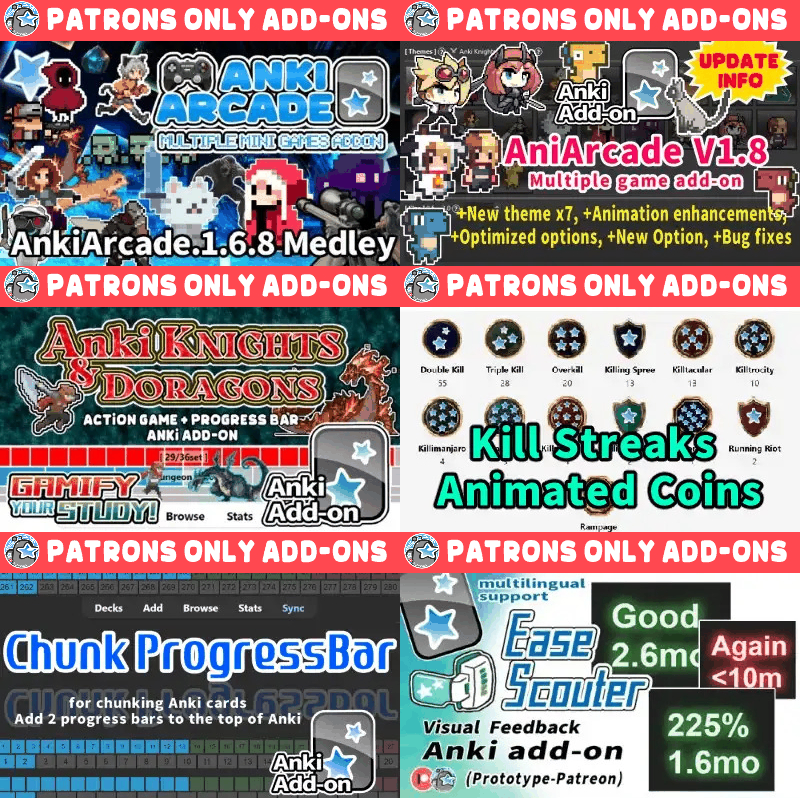
- [ 💖Donation ] I’m looking for supporters for my add-ons development because I like Anki!👍️ If you support my volunteer development you will get 14 add-ons for patrons only and 15 game themes included in AnkiArcade ($5/month).
Get Patrons only addons | Patrons Q and A | Contact
[ Special Thanks ]
So far I received donations from 754 patrons and without their support I never could develop this, thank you very much!🙏
Patrons:  Arthur Bookstein
  Haruka
  LetoPath
  07951350313540
  NamelessGO
  Tim
Tim  Kyle Mondlak
  ElAnki
  findus161
  Daniel Kohl-Fink
  Abhi S
  —
—  Juan Salgado
  Peasant of Anki
  Lily
Lily  Jesse Asiedu
  Yaeerrrrrr
  Heidi
Heidi  Aydin Herik
  Xiuxuan Wang
  Terence Bartenbach
  Matthew Hartford
  gus forester
  Hoang Hung
  David C
  Take Root
  Christopher Lam
  Iggi
Iggi  Carly Burdorf
  Austin Regal
  Steven Banner
  Vivian Cao
  Pansanity
  Will S.
  Anh-Tai Nguyen
  Devon Williams
  Jonathan Contreras
  Kmyungc
  Meeyah Davis
  Eric Allen
  Andrew Yick
  Robert Remedios
  Seth Stidham
  Miguel Dittrich
  Kyle Anthony
  Elisabeth Barber
  Zarina Balde
  Ali Abid
  Leonora Lomoki Akporyoe
  Ernest Chan
  Katherine Geromini
  Isabel Guan
  Looptime IsAble
  Hussain Almoumen
  Subhash Gutti
  lionheart3003
  GP & Chamin
  Joseph Howell
  Niiick
  Lelia Belle Houbé
  尘 北冥
尘 北冥  Orlando Frey
  Kevin M
  Ujwal Chadha
  Nabeel Elhaj
  Jack
Jack  ivy tian
  Kolorophyll
  Zuhair
  Jake Stucki
  Kaitlyn Bowler
  Brandon Anamah
  Yashar Hadi
  Justin Magda
  Mia
Mia  Celeste Achatz
  ellie
ellie  Tobias Klös
  Jolene Galbreath
  Franz Enkerlin
  mootcourt
  Walter Rusin
  Marlee Davis
  Kurtresha Worden
  Anjali Nallaveettil
  Samuel Habib
  iuventius
  Audreylyn Shannon
  Patrick ellis
  sarah
sarah  tarek
tarek  Efrain Garcia Fonseca
  Daniel del Risco
  qiting zeng
  Eddie Le
  Muneeb Khan
  Brett Sanders
  Sameer Al
  Lisa Kirby
  Matheus Chagas
  Pneumaniac 1 …full list
📥 How do I install this add-on?
- This add-on works with Anki for desktop (it does not work on mobile). Download Anki from the official website if you haven’t already.
- Copy and paste the add-on code (
1614658689) into Anki and you can install it. ( Menu -> Tools -> Add-ons -> Get Add-ons -> Code [ add-on code ] ) - When I develop bug fixes, create new features, or compatibility for New Anki, I will notify you and you can install it.
- Add-ons will be broken when the official Anki gets a major update, so if you like this add-on please support my volunteer development by rating, sharing, and donating. Thank you!